
NRC2026 What?
I’ve always loved the Motorola 68000 CPU, ever since I watched my Dad unpack his brand new Amiga 1000 back in 1985. Booting into Workbench and dragging the window bar down to reveal other applications running in the background was jaw-dropping. Much later, when I got my own A2000HD with its mighty 52MB SCSI HDD, I spent hours rendering scenes in LightWave 3D and fiddling around with C.
Earlier on this blog, I even took a pair of old AMX controllers (which had m68k processors in them), got a basic bootloader working, and played around with them via a serial port for the Retro Computer Contest. But since then, I’ve always wanted to actually build my own 68000-family machine from scratch.
Origins: A 10-Year Anniversary and a New CPU
I had tried this once before with my friend Niels. We paired up to make an updated RC2014 called the NRC2016, but that project fizzled out after a critical mainboard fault (I got VCC and GND backwards. DOH!).
Recently, Niels pointed out that it’s the 10-year anniversary of the NRC2016 and suggested we tackle another computer project. So, the NRC2026 was born; but this time, we’re building it around a 68008!
The Backbone: Why the 68008 and RCBus80?
Why go with the 68008 instead of the full-fat 68000? It comes down to simplicity and board real estate. While the 68008 rocks the exact same 32-bit internal architecture and instruction set as its bigger sibling, it communicates with the outside world over an 8-bit data bus.
With a standard 68000, you need pairs of ROM and RAM chips to handle the 16-bit wide bus, plus much more trace routing. The 68008 lets us build a tighter, simpler design using single 8-bit memory chips and peripherals. We settled on using the RCBus80 as the backbone of the whole thing.
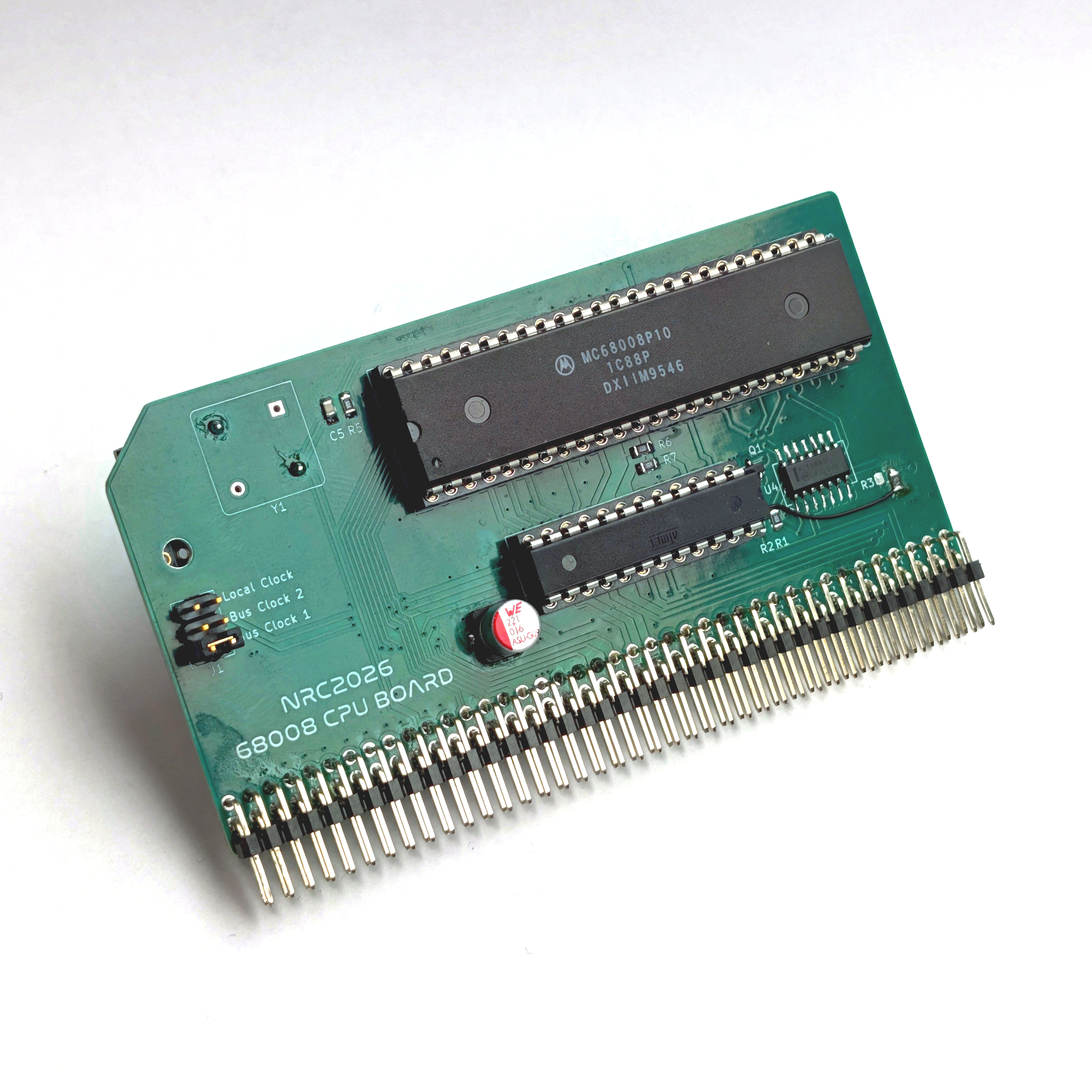
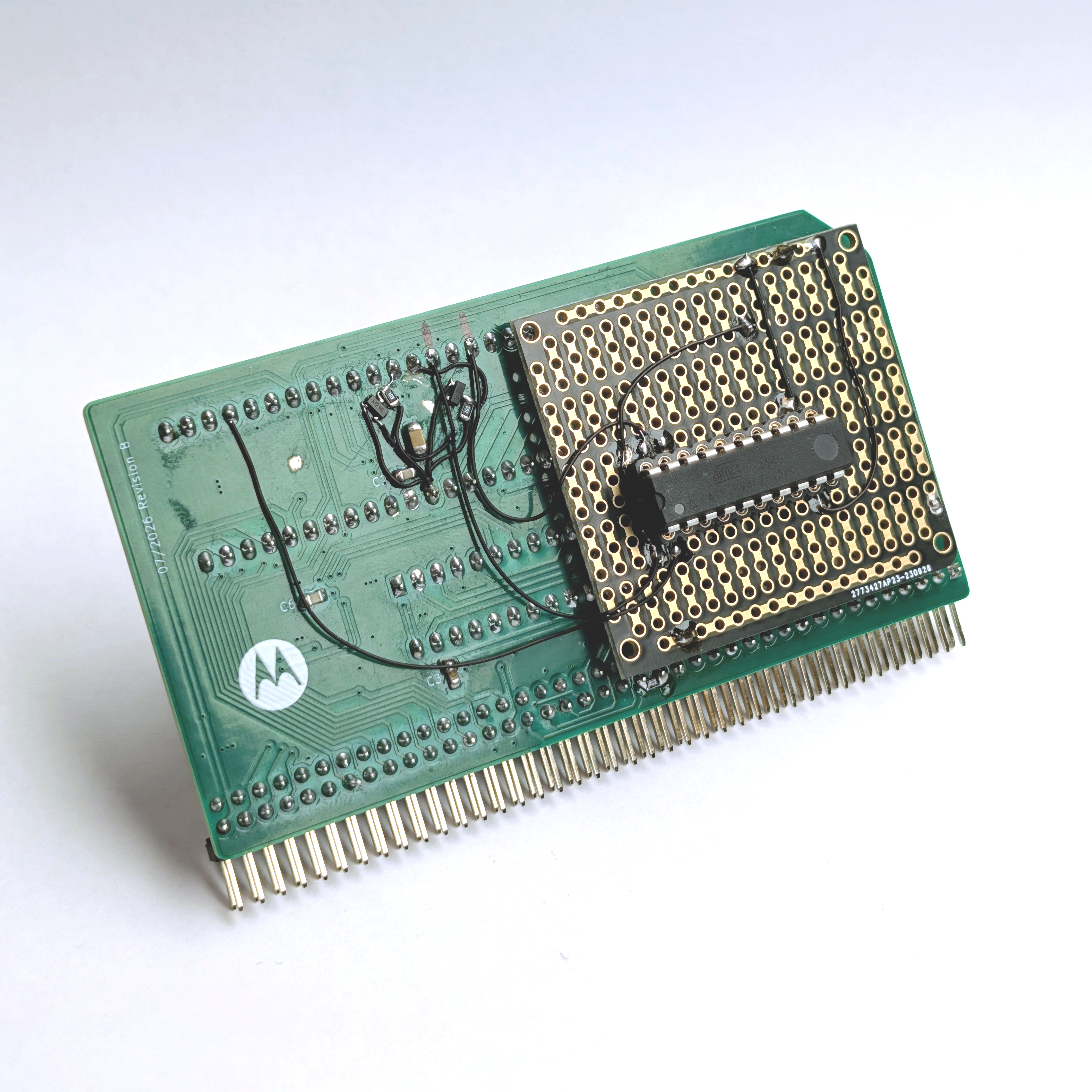
To glue it all together, we needed a way to map out the memory space for the RAM, ROM, and our I/O devices, like the ST16C2552 DUART and CH376S USB host controller. Rather than wiring up a sprawling rat’s nest of discrete 74-series logic chips for address decoding, we designed a custom GAL.
Programming the GAL logic equations gave us a clean hardware layout and precise timing integrity. It hasn’t been without its quirks. Tweaking those equations definitely caused a few head-scratching boot failures along the way (e.g., leaving the ROM driving the data bus when no /CS was asserted, causing a massive pulse on the bus when another device was asserted, which instantly crashed the CPU).
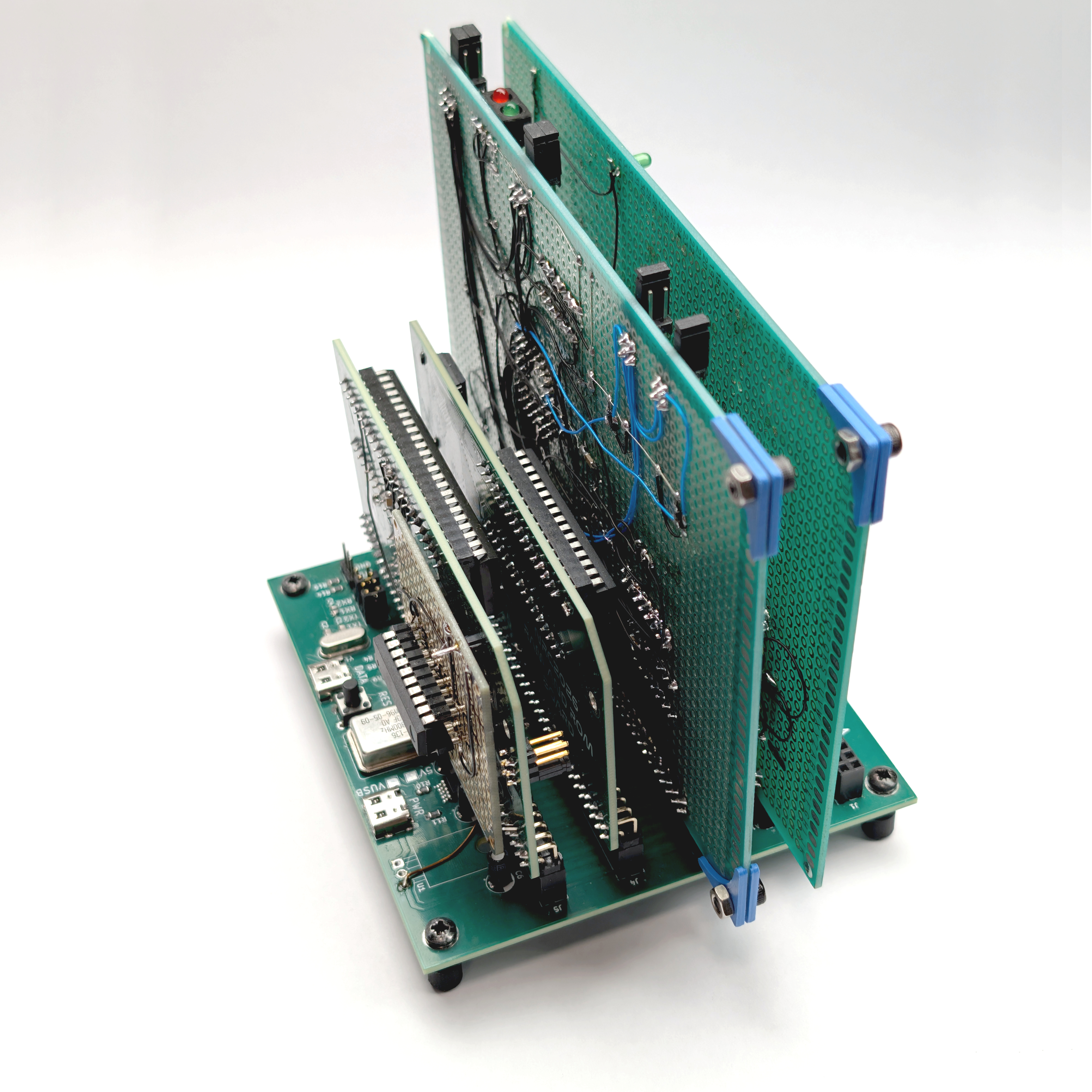
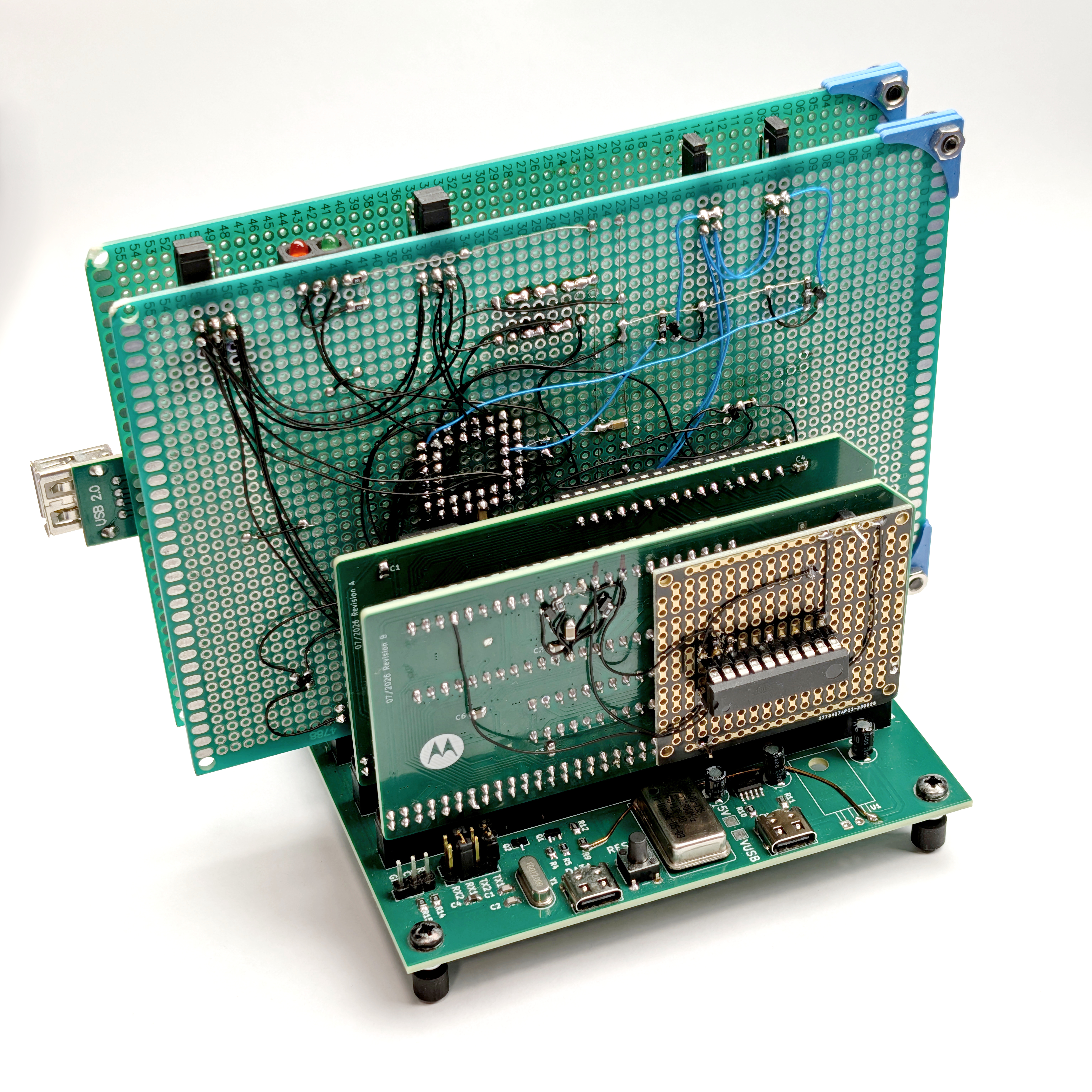
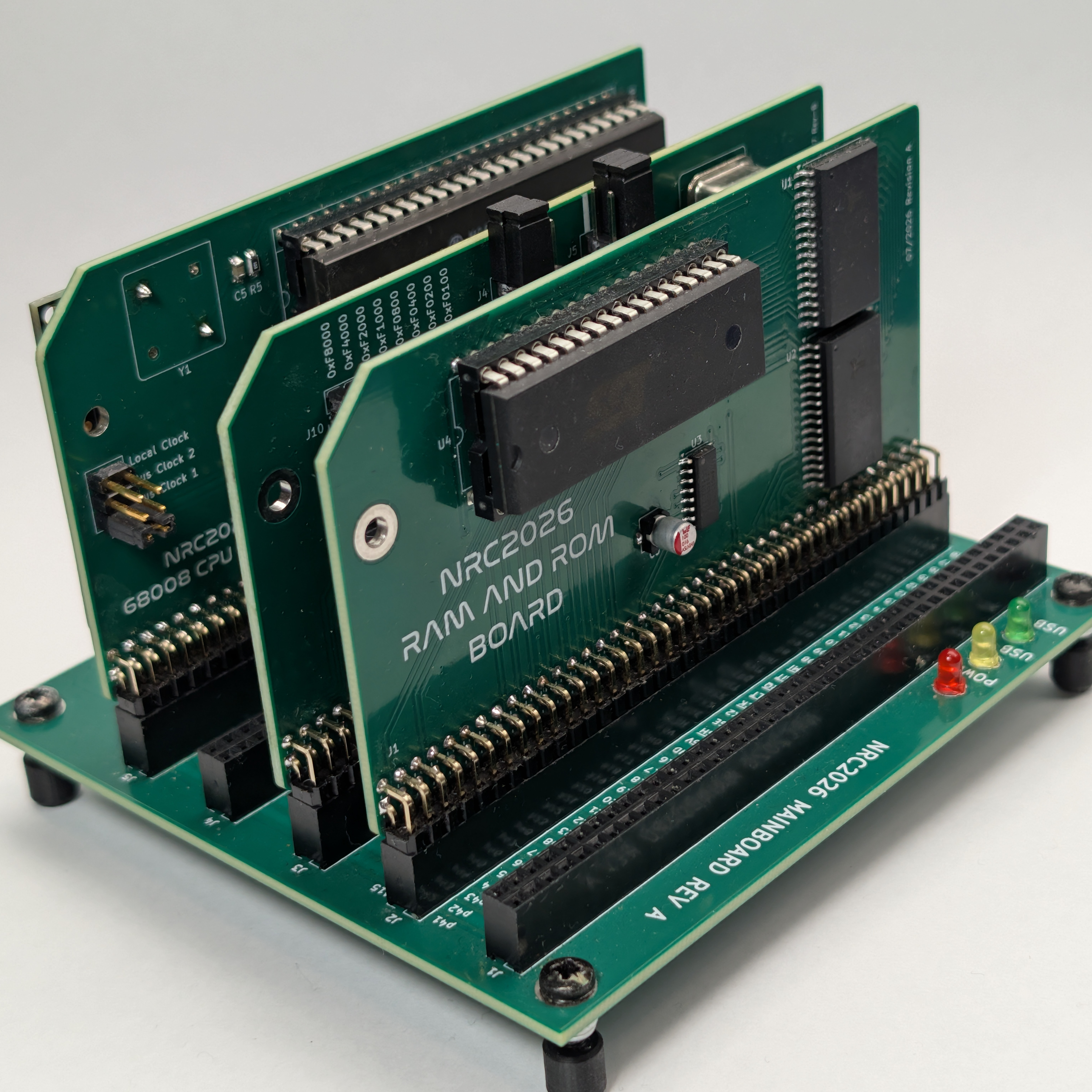
Because we settled on using the RCBus80 as the backbone, the whole system is wonderfully modular. Instead of cramming everything onto one monolithic PCB, we split the core components into their own pluggable expansion cards. There’s a card for the 68008 CPU, one for the ST16C2552 UART, and another for the USB drive.
Power and Comms: Taming the Main Board
For the main board, we wanted to make talking to the machine as frictionless as possible right out of the gate. We built an MCP2200 USB-to-serial converter right into the board itself. A pair of jumpers lets us easily route either of the two serial ports on the RCBus80 directly to it. We even broke out the CTS and RTS pins, allowing us to patch in hardware flow control via a separate jumper cable to the UART card if we ever need to keep the data hose from overflowing.
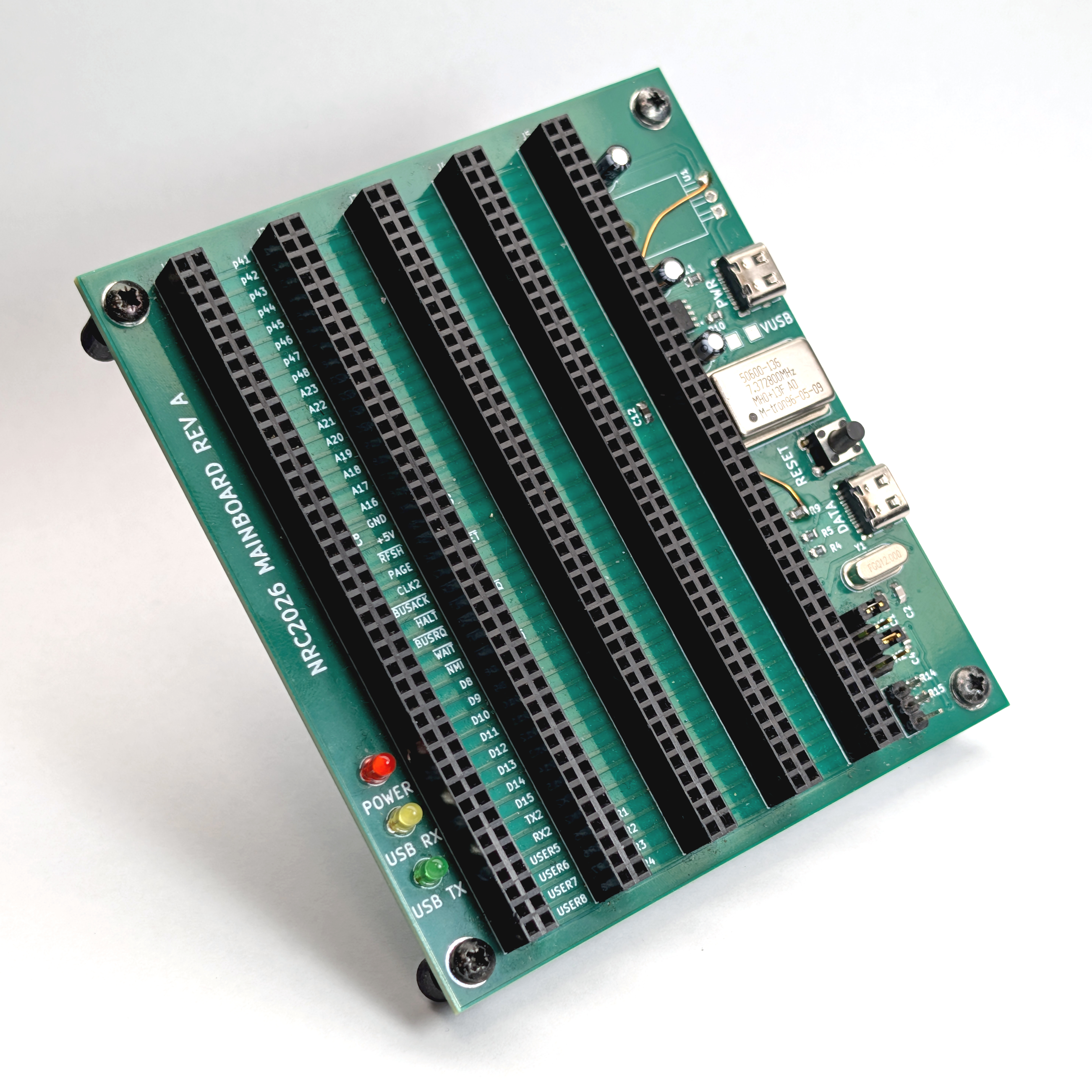
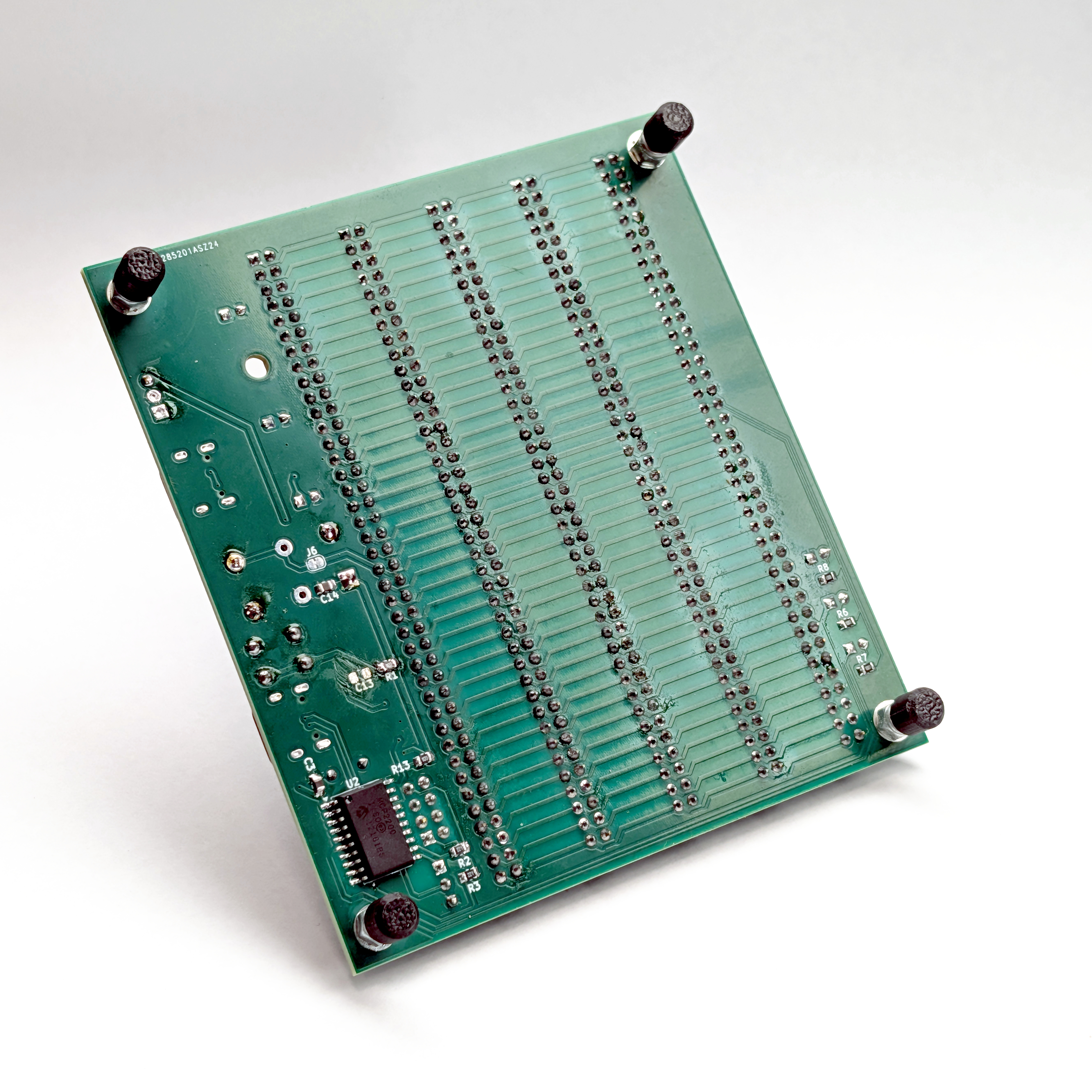
We originally used a CH224K to handle USB Type-C power negotiation, aiming for a 9V input regulated down to 5V by an on-board 7805. Suffice to say, with a full deck of cards, that 7805 got a little hot. But the bigger problem was caused by the slow startup of the CH224K. The board initially received 5V, forcing the 7805 into a low-voltage dropout state that ultimately supplied under 4V to the cards. Once USB PD negotiation finished, the input would jump to 9V, and the board would finally get its full 5V several seconds later. This caused all sorts of boot problems.
Eventually, we ditched the CH224K and the hot 7805 entirely, settling on the simple 5.1kΩ CC pull-down resistor trick to pull a clean 5V at around 1A straight from the start. We tried using the Power Good signal, but it was all too complex and tiring.
Memory Mapping: Punching a 128KB Hole in RAM
Speaking of the GAL and mapping out the memory space, we need to talk about the RAM/ROM card. The 68008 only has a 20-bit address bus, which gives us a hard limit of a 1MB address space. We decided to just populate the card with a full 1MB of RAM, but obviously, the CPU still needs somewhere to find its boot ROM, and we need addresses for our I/O devices!
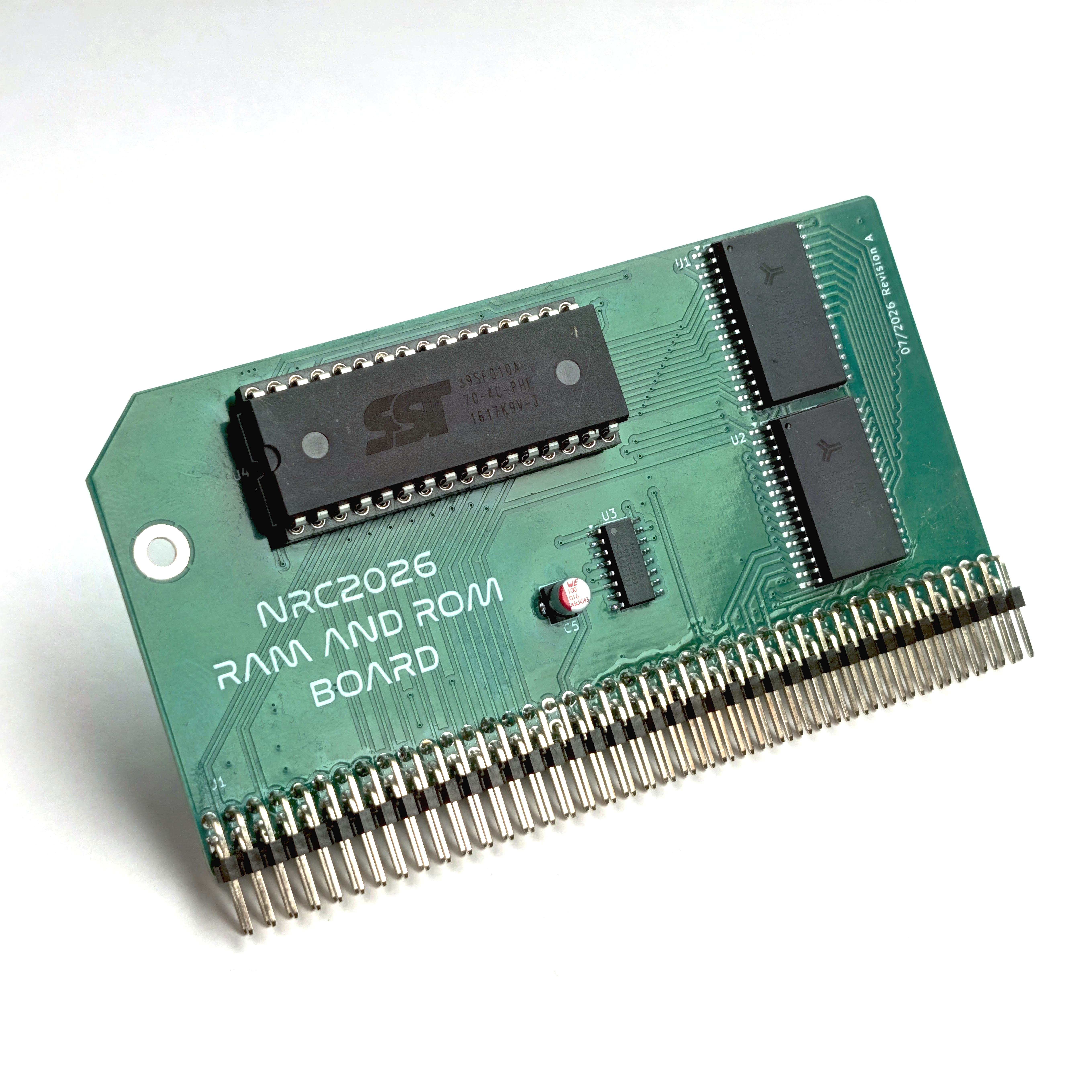
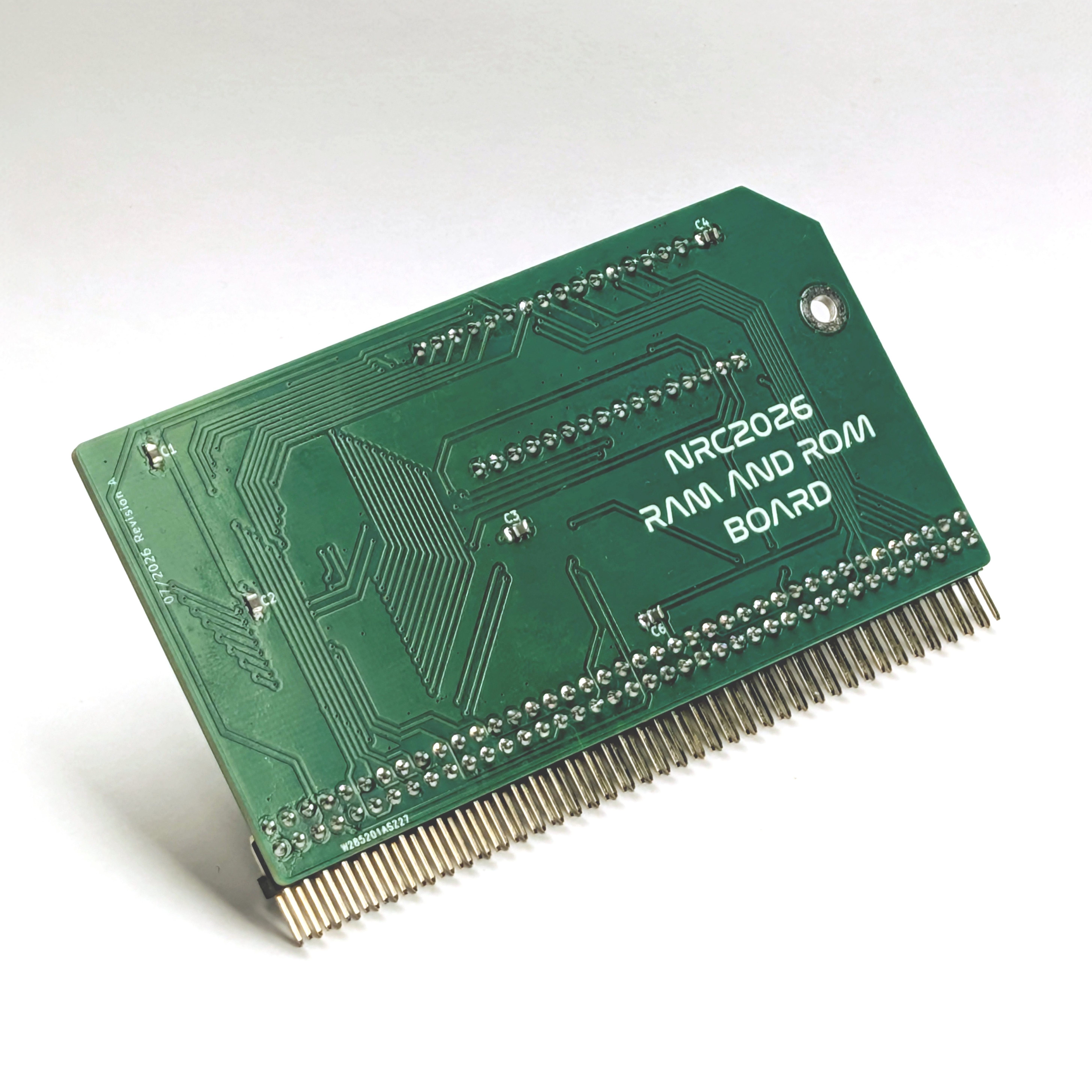
To make it all fit, we used the GAL to essentially punch a 128KB hole in that 1MB RAM space. We gladly sacrifice that 128KB of RAM so we can map 64KB of ROM right down low at the bottom of the address space (exactly where the 68008 expects to find its initial reset vectors). Then, we tuck all of our I/O devices way up high at the very top of the 1MB map. It wastes a little bit of physical RAM, but it keeps the memory map beautifully clean and leaves us with a massive chunk of contiguous memory for our code. 896KB of RAM is a lot more than the original 640KB the XT PC had!
Even better, we programmed the CPU GAL to directly handle the /DTACK (Data Transfer Acknowledge) signal for the RAM and ROM. Instead of wiring up extra logic on the memory card to tell the CPU when data is ready, the GAL just takes care of it, making the whole memory interface significantly easier and cleaner.
I/O Prototyping: Taming the DUART and /DTACK
With the memory map sorted, it was time to build out the I/O, starting with the ST16C2552 DUART. Before committing to a PCB, I built a prototype of the UART card on a proto-board using good old-fashioned point-to-point wiring. (I actually did the exact same thing for the USB board, but I’ll get into that in the next section!)
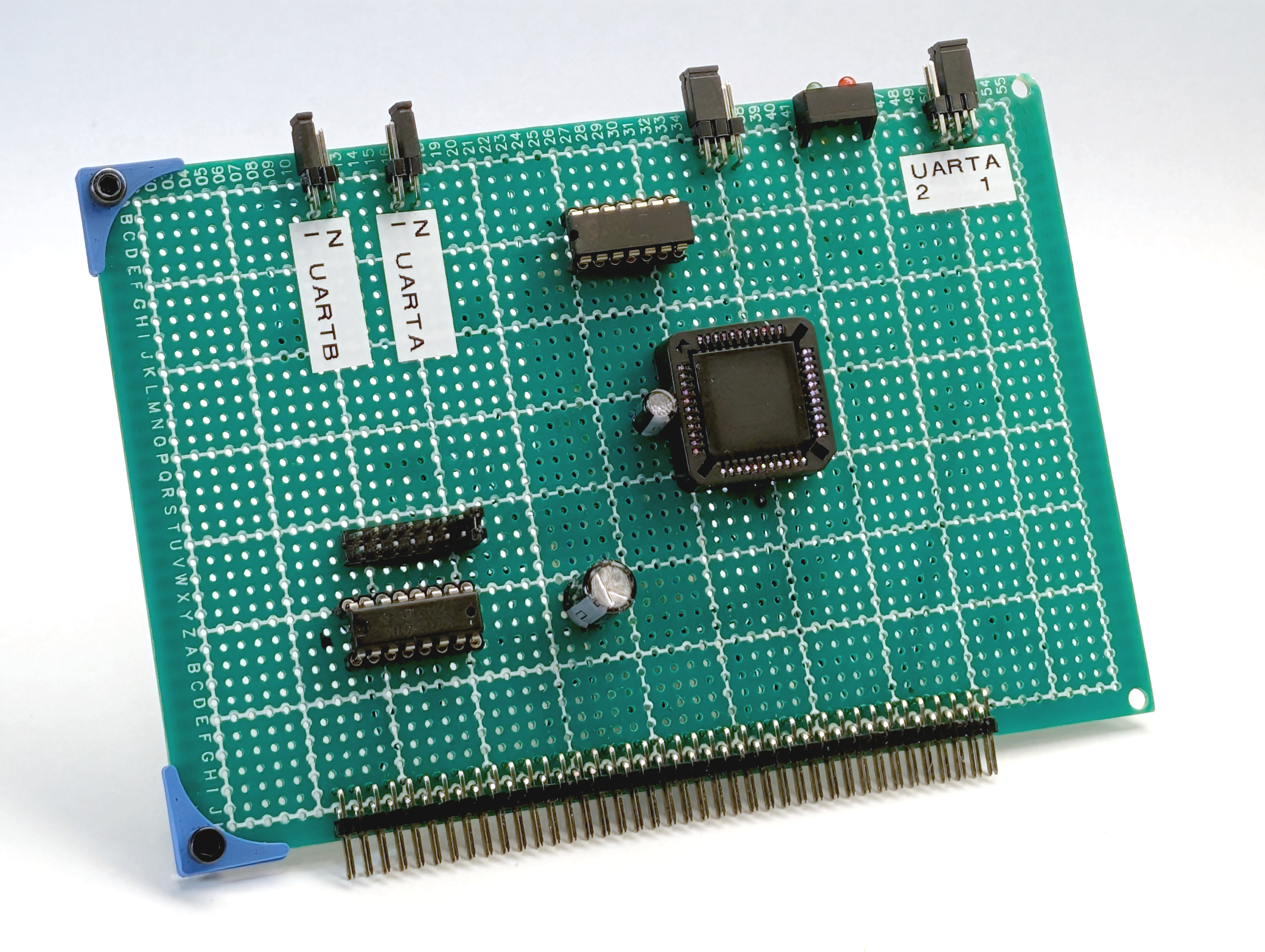
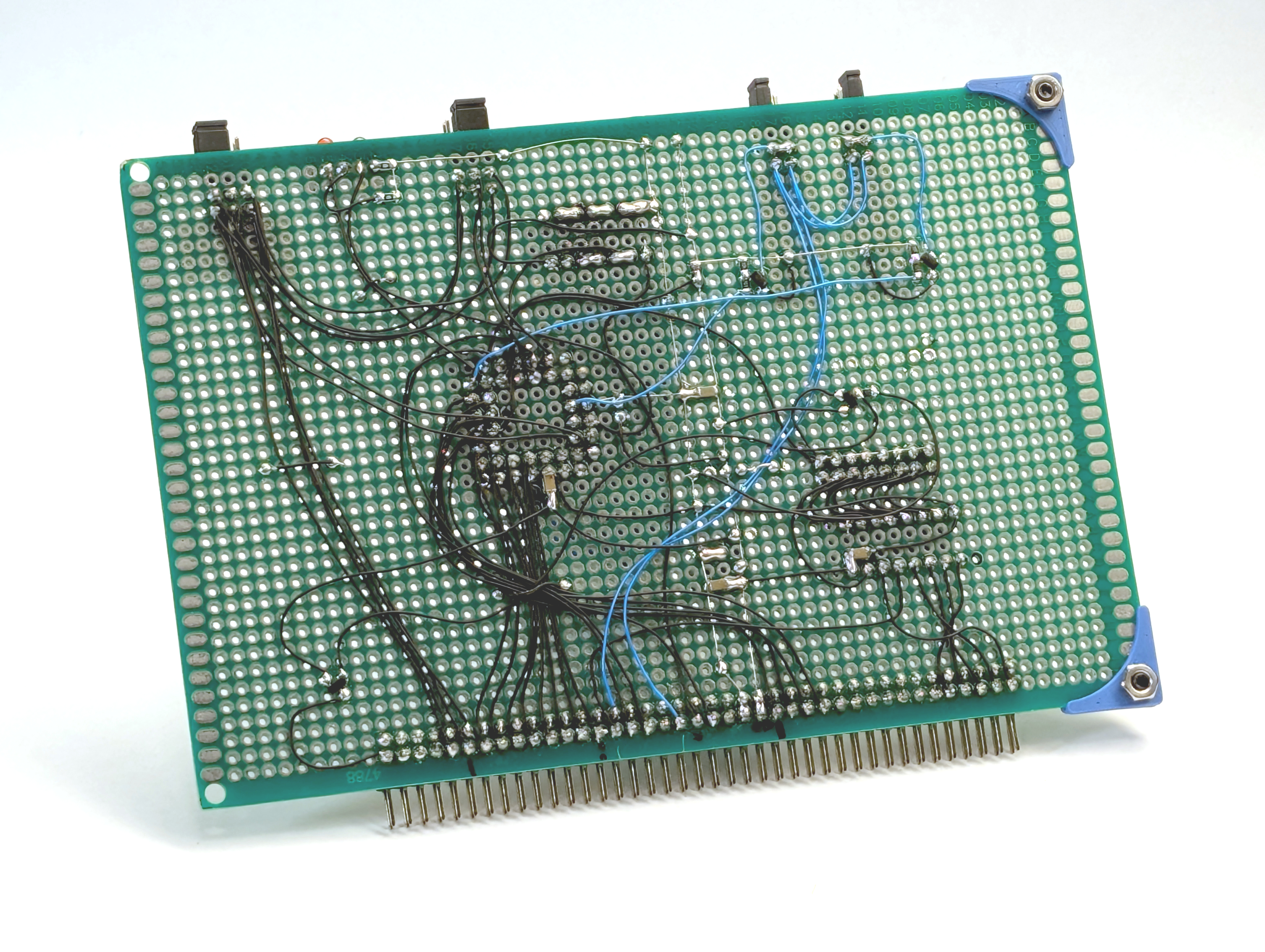
Building the prototype by hand was crucial because it let me experiment with the address decoding and bus signals. Initially, I used a simple 74HC138 for the address decoding, but it was too blunt of an instrument and chewed up way too much of our precious I/O address space. I eventually swapped it out for a 74HC688 magnitude comparator, which allowed for a much smaller and exact memory allocation for the UART.
The prototype also let me figure out the best way to handle the /DTACK signal, which is how we tell the 68008 that the data transfer is complete. At first, I used a simple 2N7002 MOSFET to just yank the line low to signal the CPU. It worked, but eventually, we switched to a 74AHCT1G125 buffer. By tying its input low and driving its /OE (output enable) straight from the DUART’s /CS (chip select) line, it cleanly pulls /DTACK low when active and goes into a high-impedance (Hi-Z) state otherwise. It makes the whole bus interaction much, much neater.
We didn’t completely ditch the 2N7002s, though. The ST16C2552 has these stupid active-high interrupt output pins, which is exactly the opposite of what the 68k architecture expects. We still use the MOSFETs to invert those signals and yank the interrupt lines low, and the way it’s wired allows us to set two different priority levels for the UART interrupts if we ever need them.
Storage: Pivoting from SD to USB
Just like the DUART card, I wasn’t about to spin a custom PCB for our storage solution without proving the bus interactions first, so out came the proto-board and Kynar wire. Because we had already fought the battles with address decoding and the 74AHCT1G125 /DTACK buffering on the UART prototype, we knew exactly what to do and used a 74HC688 from the get-go to handle the address allocation for this card.
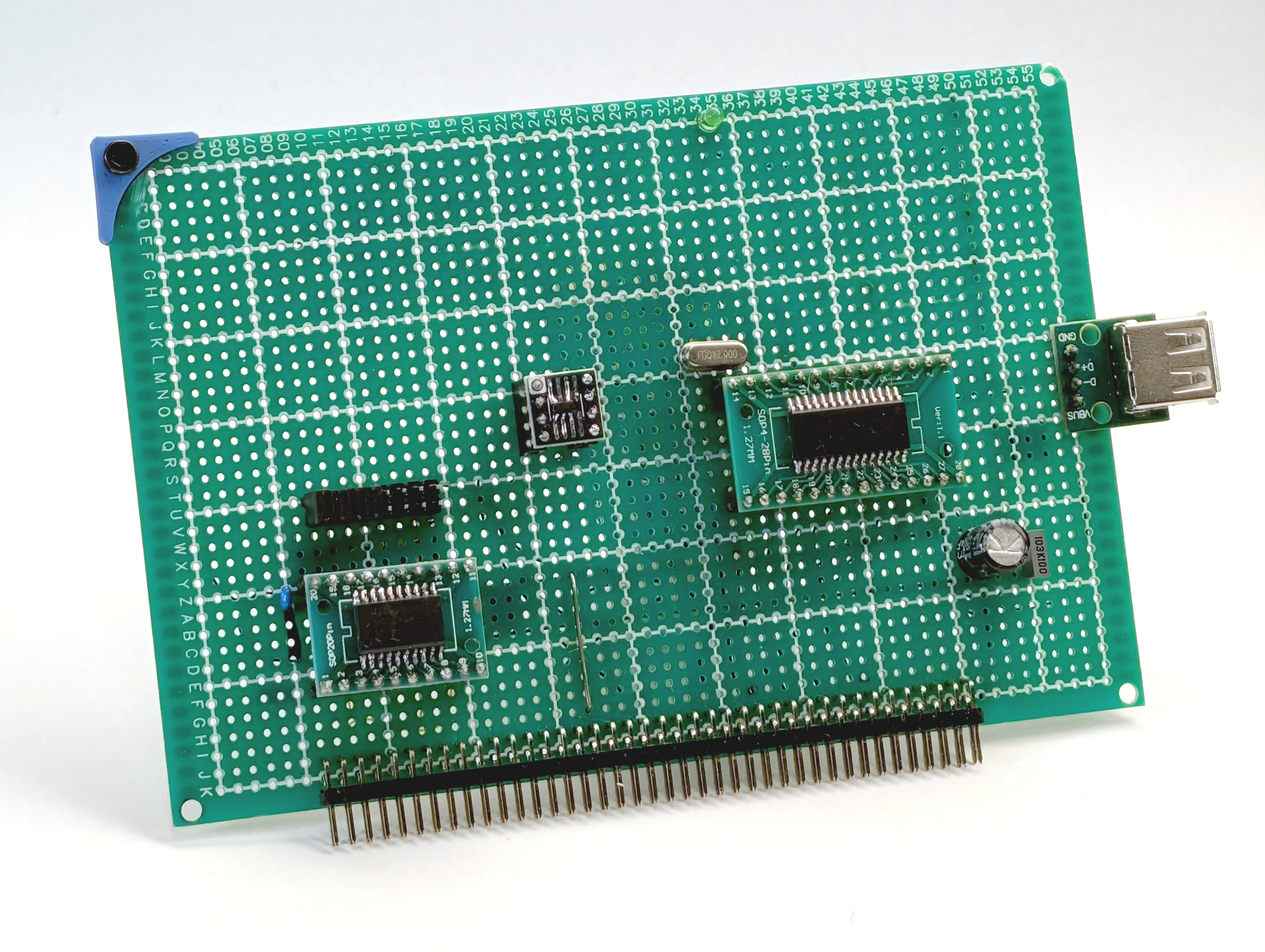
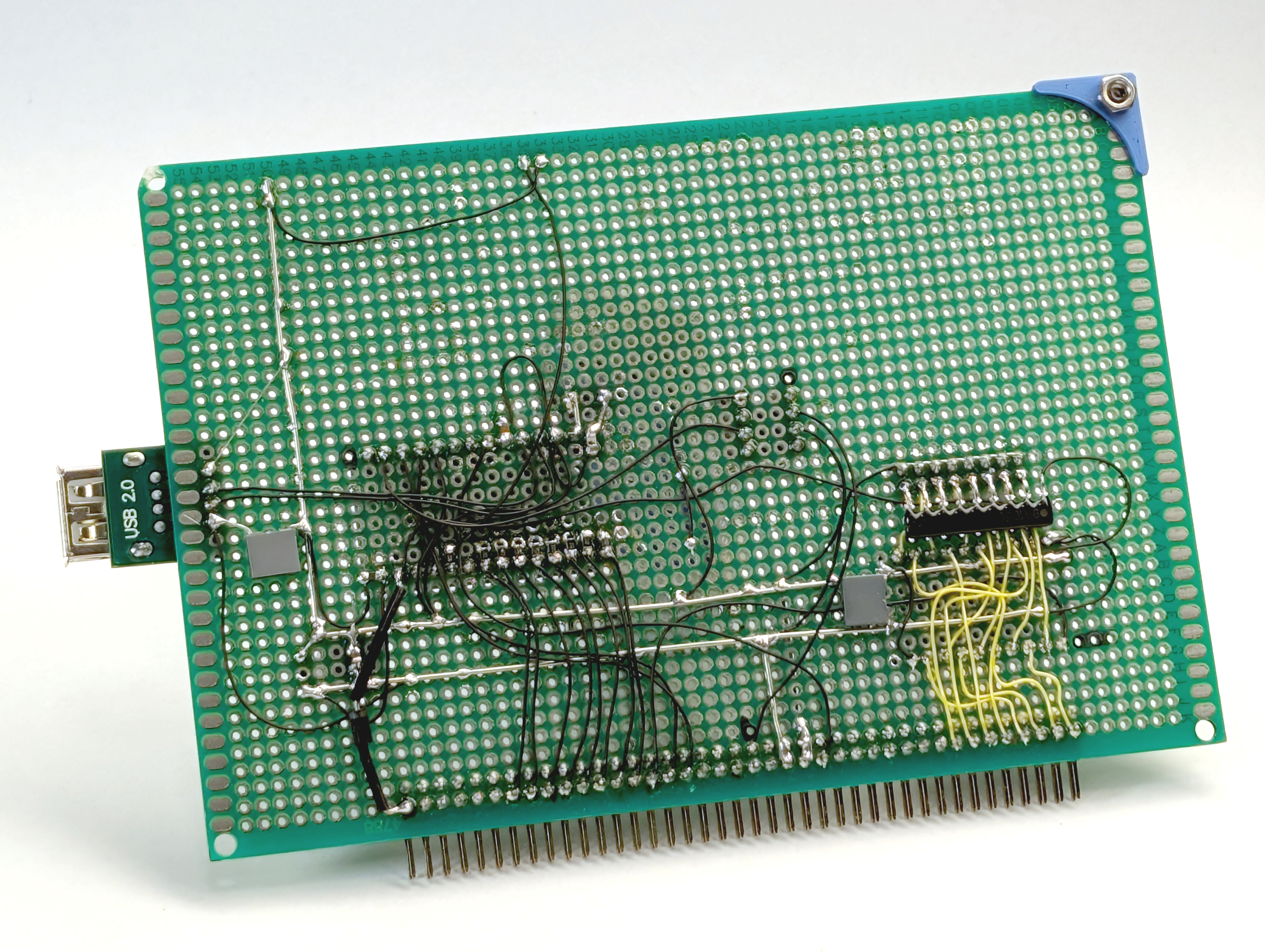
For the storage backend, we went with the CH376S, though our original plan looked a bit different. Initially, we were only interested in using it for SD Card storage. However, we quickly hit a wall: it turns out the low-level sector commands on the CH376S simply aren’t supported on SD Cards.
So, we pivoted to USB. Ditching the SD card actually ended up being a massive bonus, because it meant we didn’t have to mess around with level converters to step our 5V bus logic down for a 3.3V SD card.
The CH376S handles the entire USB host protocol and FAT filesystem layer internally, making it a perfect match for the 68008’s 8-bit data bus. Having actual USB flash drive support on a scratch-built retro machine is incredibly satisfying. It completely frees us from having to push every single binary over the serial line or continuously re-flash ROMs. You just drop the file on a thumb drive from a modern PC, plug it into the RCBus card, and the 68008 reads it straight into RAM.
Firmware: Bare-Metal Rust, m68bug, and Chasing Ghosts
With the hardware stacked up and the power stabilized, we needed something for the CPU to actually execute. Writing bare-metal code for the 68k is an absolute joy, but it means you’re entirely on your own. No OS, no standard library holding your hand. Just you, the compiler, and a carefully crafted linker.ld script to tell the toolchain exactly where our ROM, RAM, and I/O live within that 1MB memory map.
To get the system off the ground, I initially reached for the original bootloader I had written in assembly for those old AMX boards I mentioned earlier. It was a simple, rock-solid tool that just read Motorola SREC data from the user over the serial port and allowed you to execute it.
Once that basic SREC loader was up and running, the very first programs I fed it were actually bare-metal no_std Rust applications I had compiled for the m68k. The first was the obligatory “hello world” just to prove the toolchain worked. Next, I leveled up to an ASCII Mandelbrot set to give the 68008 a bit of a math workout. Finally, I loaded up a simple Conway’s Game of Life, using the timing of the user’s initial keystroke to seed the random number generator for the starting universe.
It was incredibly satisfying seeing modern Rust running on a 1980s architecture, but for a full computer project, we needed a proper machine monitor. My next brilliant plan was to port the classic Motorola TUTOR 1.3 firmware assembly routines over to GNU as syntax. I got pretty far into it, but it quickly turned into a nightmare. There were just too many changes required, and I found myself getting completely dragged under trying to finish the port. It honestly just sucked the fun out of the whole thing.
So, I aborted the TUTOR port and pivoted. I wrote our custom ROM monitor, m68bug, entirely from scratch in C, implementing just a handful of the essential TUTOR-inspired commands we actually needed. Later on, we expanded it by adding discrete commands for the CH376S (like MOUNT and LOAD), which let us seamlessly load applications directly into RAM from the USB drive.
Getting it to actually boot the first time, however, was a bit of a rollercoaster. We compiled m68bug, made sure the initial Stack Pointer and Program Counter reset vectors were sitting perfectly at 0x000000, flashed the ROM, and flipped the switch.
Nothing. Dead silence on the serial port.
I spent ages chasing ghosts in the firmware, convinced my C startup code or linker script was broken. It drove me mad until I remembered: the ROM had actually worked perfectly in an earlier breadboard test. The firmware wasn’t the issue at all—it was 100% the changes we had just made to the GAL logic equations! The new GAL logic was causing a bus conflict and crashing the CPU before it could even spit out a single character. Once we fixed the equations, the board sprang to life, and seeing that m68bug prompt finally appear over the serial terminal was pure magic.
What’s Next: Rev B, Rev C, and Beyond
This post is already getting pretty long, so I’ll wrap up the high-level overview here.
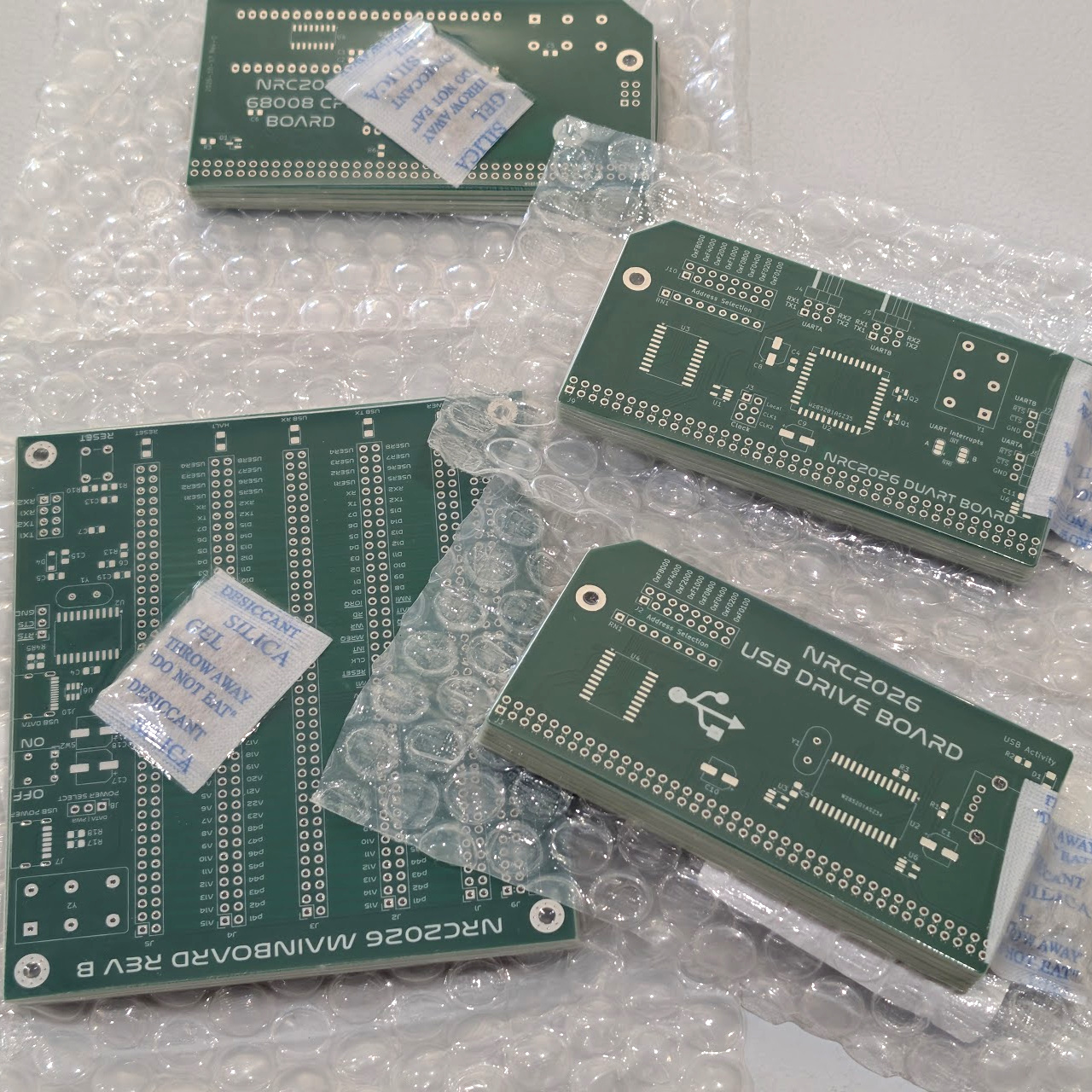
There is a lot more to cover. Since building these initial prototypes, I’ve already designed and received the Rev B (and even a few Rev C!) PCBs for the expansion cards. Over the next few weeks, I’m going to write dedicated, in-depth posts for each individual board. I’ll break down the schematics, explain exactly how the hardware works under the hood, and share the lessons learned along the way. Stay tuned!



Leave a comment